
Grow a Garden
Calculator
Grow Smart. Trade Bigger. Win Every Trade. 🏆
Grow a Garden Calculator for crop values, mutations, pet XP, egg timers, and trade profits. Use our value, mutation, pet, and trade calculators for instant results. Completely free, no login needed.
Plant Value Calculator
Pick a crop, set weight & mutations — result updates live
Mutation Calculator
Check exact multipliers for any mutation combo
Pet XP Calculator
Find out how much XP your pet needs to level up
Egg Hatch Timer
Calculate hatch time for any egg
Pet Ability Guide
Check pet bonuses at max level
Trade Profit Calculator
W ya L trade? Abhi check karein
Grow a Garden Calculator Features
Everything you need to track your pet’s weight, age & growth — all in one place.
Pet Weight Calculator
Check your pet’s current weight in KG instantly.
Age & Weight Calculator
Enter age and current weight to calculate your pet’s growth.
Hatch Weight Calculator
Find the estimated hatch weight using your current stats.
Pet Classification Checker
Identify your pet’s class — from Small to Colossal.
Maximum Weight Estimate
See how much weight your pet can reach in the future.
Weight Growth Tracking
Compare your pet’s expected weight at different ages.
Pet Comparison
Compare two pets’ weight and growth potential side by side.
Instant Results
Just enter your numbers and see the calculation instantly.
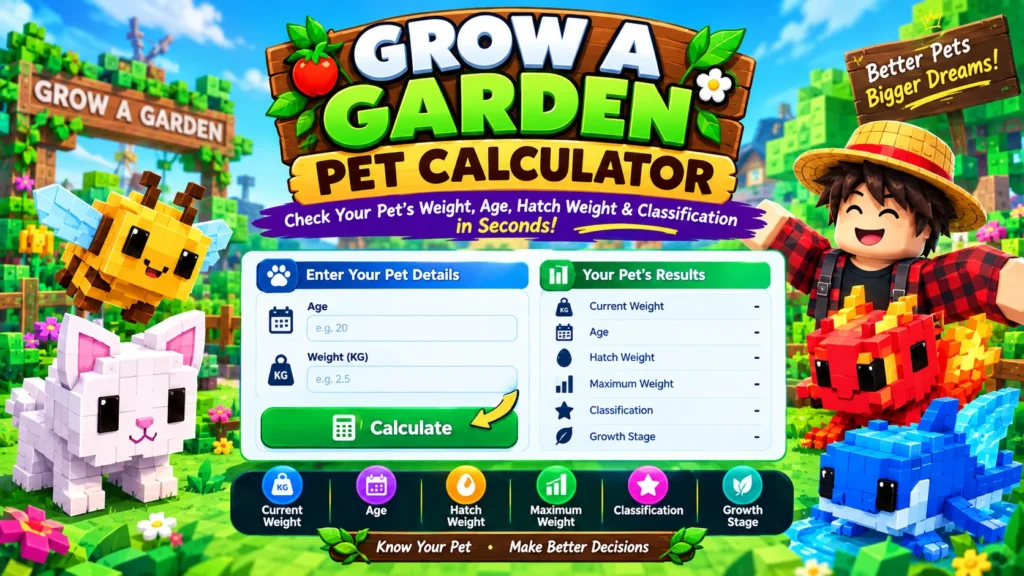
What Is a Grow a Garden Calculator?
A Grow a Garden Calculator is a free online tool built for Grow a Garden, the popular Roblox farming game. It takes basic details about your pet — mainly its current age and weight in KG — and instantly works out its hatch weight, classification, and estimated maximum weight.
In simple words, it does the math you’d otherwise have to figure out on your own. Instead of comparing your pet to random screenshots on Reddit or guessing based on how big it looks, you get a clear answer in seconds.
The tool covers the exact things players actually search for: pet weight, pet age, hatch weight, classification tiers like Small, Huge, Titanic, and Godly, and a rough idea of trade value. Everything runs directly in your browser. No downloads, no sign-ups, and no waiting around for results.
Think of it as a shortcut. You already know your pet’s stats — the calculator just organizes that information into something useful, so you can make faster decisions about growing, keeping, or trading your pet.
Why Use This Grow a Garden Calculator?
Check your pet’s weight, age, hatch weight, and classification in seconds. This calculator gives Roblox players a fast, simple way to understand what their pet actually is, without digging through community spreadsheets or asking around in a Discord server.
Enter your pet’s current age and weight in KG, and it works out the hatch weight, classification, and where the pet is heading as it keeps growing. It’s built for players who want a straight answer, not a guessing game
The Problem This Calculator Solves
Anyone who has played Grow a Garden for more than a few days knows the confusion around pet weight. You hatch a pet, watch it grow, and at some point you start wondering: is this a good one? Should I keep growing it or trade it now? What does its weight actually tell me?
The numbers matter, but tracking them by hand gets messy fast. Weight changes with age, hatch weight decides classification, and classification affects how a pet is viewed in trades. Trying to hold all of that in your head, or comparing pets from memory, usually ends in a bad guess.
This calculator removes that guesswork. Put in your pet’s details once, and you get a clear, consistent answer every time.
Grow a Garden Pet Calculator
Use the calculator below to check your pet’s weight, age, and classification.
(Calculator tool goes here)
Enter your pet’s age and current weight in KG, then hit calculate. Results appear instantly, and you can run the numbers again for as many pets as you want.
What the Grow a Garden Calculator Does
This calculator focuses on the numbers that actually matter for a pet, and shows them in plain terms:
- Current weight – the weight you enter, shown in KG
- Age – the in-game age of your pet
- Hatch weight – the weight your pet started at when it was born
- Maximum weight – an estimate of what your pet is likely to reach once fully grown
- Classification – where your pet sits, from Small up to Colossal
- Growth stage – a general sense of how far along your pet is in its growth
Each of these connects to the next. Hatch weight sets the classification, classification hints at the pet’s overall standing, and current weight combined with age shows how close the pet is to its full size.
Grow a Garden Pet Weight and Age Calculator
Weight and age are directly linked. As a pet ages, its weight increases, but not at a constant rate — growth tends to be quicker in the early stages and slows down as the pet gets closer to its maximum weight.
To get a useful reading, the calculator needs two things from you: the pet’s current age and its current weight in KG. From there, it can work backward to estimate the hatch weight (what the pet weighed at birth) and forward to estimate the maximum weight (what the pet will likely weigh once it stops growing).
This is useful in a few common situations:
- You forgot your pet’s hatch weight and want to know its classification
- You want to know roughly how much bigger your pet will get
- You’re comparing two pets and want an apples-to-apples view of where each one stands
If you only want to track weight changes over time without worrying about classification, the standalone Pet Weight Calculator covers that on its own. If age is your main concern, the Pet Age Calculator does the same for growth timing.
Pet Hatch Weight and Classification
Hatch weight is the weight a pet has the moment it’s born. It’s fixed — it doesn’t change later, no matter how much the pet grows afterward. This number is what decides a pet’s classification.
Based on current player-sourced data, hatch weight generally maps to classification tiers like this:
| Classification | Hatch Weight Range |
|---|---|
| Small | Under 1 kg |
| Normal | 1 – 1.9 kg |
| Large | 2 – 2.9 kg |
| Semi Huge | 3 – 4.9 kg |
| Huge | 5 – 6.9 kg |
| Semi Titanic | 7 – 7.9 kg |
| Titanic | 8 – 8.9 kg |
| Godly | 9 – 9.9 kg |
| Colossal | 10 kg and above |
These ranges reflect how the community currently tracks classification, and they may shift slightly if the game updates. A higher classification generally points to a stronger starting point, but it isn’t the only thing that decides how good a pet is overall — species, abilities, and mutations all play a part too.
If you don’t remember your pet’s hatch weight, that’s fine. Enter its current age and weight, and the calculator will estimate it for you based on the growth pattern for that age.
How Pet Weight Changes With Age
Weight gain isn’t a straight line. A pet typically gains weight steadily in its early ages, then that growth gradually slows down the closer it gets to its maximum weight.
What this means in practice: two pets with the same hatch weight but different current ages can look very different in weight, even though they’re on the same growth path. And a young pet with a high hatch weight will often outweigh an older pet that started smaller.
This is exactly why comparing pets by current weight alone can be misleading. A three-week-old pet and a brand-new one might show similar numbers on the surface, but their classifications and long-term potential can be completely different. Running both through the calculator gives you a clearer, more honest comparison.
Grow a Garden Pet Value Calculator
Weight and classification are useful signals, but they’re only part of what decides a pet’s value. When players talk about “value,” they usually mean how a pet is viewed in trades, and that depends on more than one number.
Factors that typically affect a pet’s trade value include:
- Species – some pets are rarer or more sought-after than others
- Classification – higher weight tiers are often seen as more desirable
- Abilities – what the pet’s passive effect actually does
- Mutations – added traits that can raise or lower demand
- Current trading trends – what players are actively looking for at the time
This calculator gives you a weight-based reference point, not a fixed trading price. Treat the result as a starting point for comparison, not a guarantee of what someone will offer you. For a fuller picture before a big trade, it’s worth cross-checking with a Pet Values Guide or a Trading Guide alongside the calculator.
How to Use the Calculator
- Enter your pet’s age. This is the age shown in-game, not real-world time.
- Enter the current weight in KG. You’ll find this on your pet’s stats screen.
- Click calculate. The tool processes both numbers together.
- Review the results. Check the hatch weight, classification, and estimated maximum weight.
- Repeat for a second pet if needed. Run the same steps for another pet to compare them side by side.
Common Mistakes to Avoid
- Mixing up current weight and hatch weight. These are different numbers, and confusing them leads to the wrong classification.
- Assuming age alone decides value. An older pet isn’t automatically worth more — hatch weight and classification carry more weight in that decision.
- Ignoring mutations. A mutation can shift a pet’s or crop’s value noticeably, so it’s worth factoring in separately from weight.
- Trusting a guess over the actual numbers. Estimating a pet’s classification by eye is easy to get wrong, especially with pets that look similar in size.
- Treating the value estimate as a fixed price. The calculator gives you a reference, not a locked trading value. Actual trades depend on what the other player is willing to offer.
Quick Summary for New Players
If you’re new to Grow a Garden, here’s what’s worth remembering: hatch weight decides classification, and that classification never changes later. Current weight keeps growing with age, but slower over time.
Before any trade, especially a bigger one, check both pets through the calculator rather than relying on how they look. It takes a few seconds and gives you a much clearer idea of what you’re actually working with.
Final Words
Guessing your pet’s stats is a fast way to make a bad trade. Hatch weight decides classification, and classification never changes. Current weight keeps growing with age, just more slowly over time. Once you know these three things, you can read any pet with confidence.
This calculator gives you a clear answer in a few seconds. Enter the age and weight in KG, check the hatch weight, classification and maximum weight, and compare two pets side by side before you decide. It is free, works on mobile, and needs no login.
Keep in mind that weight is only one part of a pet’s value. Species, abilities, mutations and current demand all matter. Before a big trade, check the Value List and the Mutation List, and look at the Pet Dupe List to avoid copied pets.
Run your pets through the calculator, trade with real numbers, and take a minute to check before you say yes.
Frequently Asked Questions
Q1. What is a Grow a Garden Calculator?
It’s a tool that takes your pet’s age and weight and works out details like hatch weight, classification, and estimated maximum weight, so you don’t have to calculate or guess these manually.
Q2. What is hatch weight in Grow a Garden?
Hatch weight is the weight a pet has right when it’s born. It stays the same for the pet’s entire life and is the number used to determine its classification.
Q3. How do I calculate my pet’s weight?
Check your pet’s stats screen for its current weight in KG, then enter that along with its age into the calculator to see its full growth picture.
Q4. How does pet age affect weight?
As a pet ages, its weight increases, quickly at first and then more gradually as it nears its maximum weight. Two pets of different ages will usually show different weights even with the same hatch weight.
Q5. What is the Grow a Garden KG calculator?
It’s the same tool, referring to the fact that pet weight in this game is measured in kilograms. Entering weight in KG is how the calculator reads your pet’s stats correctly.
Q6. Can I calculate my pet’s hatch weight if I don’t remember it?
Yes. Enter your pet’s current age and weight, and the calculator will estimate the hatch weight based on the expected growth pattern for that age.
Q7. Can a pet’s classification change over time?
No. Classification is locked in by hatch weight at birth. Current weight will keep changing as the pet ages, but the classification tier itself doesn’t move.
Q8. How does the Grow a Garden pet value calculator work?
It uses weight and classification as a starting reference point for value. It doesn’t account for every factor, like current trading demand or specific mutations, so treat it as a guide rather than a fixed number.
Q9. Can weight alone determine a pet’s trade value?
Not entirely. Weight and classification matter, but species, abilities, mutations, and what other players currently want also shape trade value.
Q10. Do I need an account to use this calculator?
No. It works directly in your browser. Just enter your numbers and get your results, nothing to sign up for or download.